Video-Inator
A downloadable tool for Windows
destroy videos, audio and images easily!
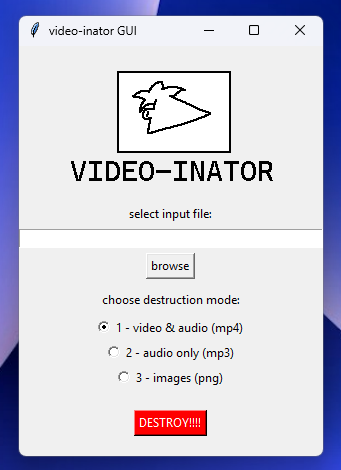
video-inator is a simple program that requires ffmpeg to annihilate the audio and video quality of mp4s, mp3s and even pngs. it's easy to use with a GUI and currently works on windows only, but you can edit it to work on your own platform, the source is available!
ffmpeg is required for this project! install instructions are included
Download
Install instructions
for program:
1 - download inator.zip
2 - unpack everything in inator.zip in some folder somewhere
3 - run video_inatorGUI.exe and enjoy
for source:
1 - download inator-source.zip
2 - unpack everything in inator-source.zip in some folder somewhere
3 - edit it to your liking!
HOW 2 FFMPEG:
step 1 - get the latest ffmpeg-release-full.7z from https://www.gyan.dev/ffmpeg/builds/
step 2 - unpack it to some folder
step 3 - there should be ffmpeg.exe in unpackfolder/bin/ffmpeg.exe. move that ffmpeg.exe to ffmpeg/ in the program's folder.
step 4 - if you did it correctly, you should not get a popup stating ffmpeg is not installed when you run the program!
have fun destroying your videoss
Development log
- new feature!Sep 24, 2025
- lil update!Sep 24, 2025
Comments
Log in with itch.io to leave a comment.